Free Printable Rental Expense Tracker
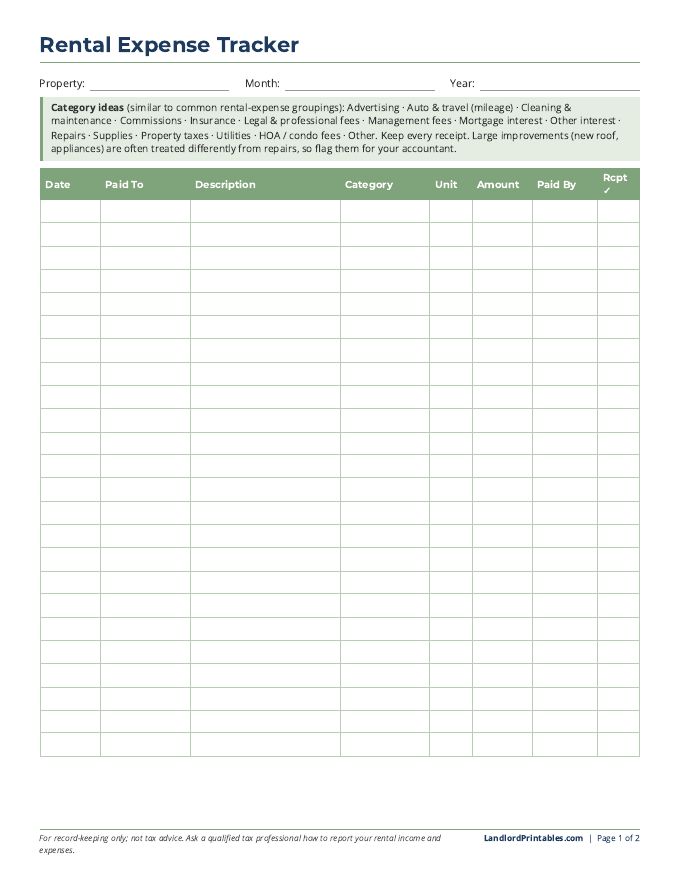
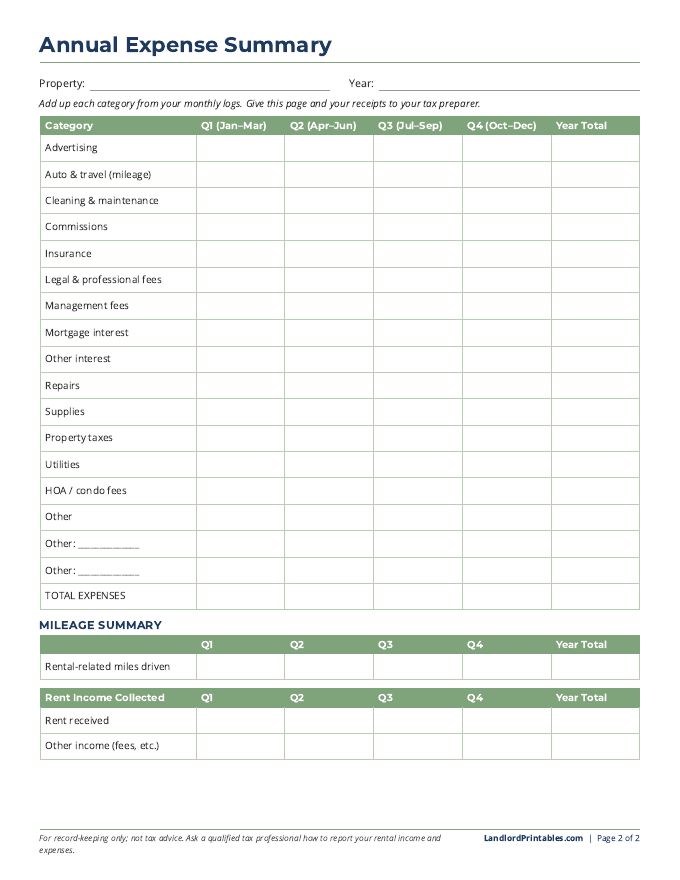
Write down every rental expense as it happens, and tax time gets a lot easier. Log each expense by month, then add them up by category on the annual summary page.
Read the guide: How to Track Rental Property Expenses (Free)
Get Your Free Rental Expense Tracker
Enter your email and we'll send you our 2-page printable expense tracker right away. You'll also get our free newsletter, The Need-to-Know Landlord, with new printables and simple tips for landlords. Unsubscribe anytime.
We never sell or share your email address with anyone, sponsors included.
Your free Rental Expense Tracker
Welcome back! You're already signed up, so it's ready to download.
Download Your Rental Expense Tracker (PDF)Already signed up? Check your welcome email for all 10 printables.
Who It's For
Landlords who want a simple paper system for tracking rental costs and receipts throughout the year.
How to Use It
- Print a monthly log page for each property for each month (or as needed).
- Record every expense: date, who you paid, description, category, unit, amount and how you paid. Check the receipt box once the receipt is filed.
- At the end of each quarter, total each category on the Annual Expense Summary page.
- Fill in the mileage and rent income sections too.
- At year-end, give the summary and your receipts to your tax preparer.
What's Included (2 pages)
- Page 1: Monthly expense log (24 rows) with a list of category ideas
- Page 2: Annual Expense Summary by category and quarter, plus a mileage summary and rent income summary
Good to Know
This tracker is for record-keeping only and is not tax advice. Big improvements (like a new roof) are often treated differently from repairs for taxes, so flag them for your tax professional. Ask a qualified tax professional how to report your rental income and expenses.
Related Printables
This printable is a general record-keeping tool, not legal or tax advice. Laws vary by state and city.